 Download App
 Track Order
 Help Center

Why Is My iPhone Overheating? 15 Common Reasons & Easy Fixes (2026)
Your iPhone feels like a mini stove in your pocket. You touch the back and it’s genuinely warm — sometimes uncomfortably hot. And the panic sets in fast: Is this normal? Is my battery dying? Is my phone about to break?
You’re not overreacting. An overheating iPhone is one of the most searched smartphone problems in India right now, especially during summer, during long gaming sessions, or right after an iOS update.
Here’s the good news: in most cases, iPhone overheating is fixable in minutes, not a sign your phone is dying. But in some cases, it is a warning sign — one that tells you something about your battery health or hardware that you shouldn’t ignore.
This guide breaks down why is my iPhone overheating, covers all 15 common causes, and gives you clear, tested fixes for each one. We’ll also tell you exactly when a hot iPhone means “just relax” and when it means “get this checked immediately.”
No generic advice. No fear-mongering. Just a genuine, evidence-based iPhone troubleshooting guide you can actually use today.
Also Read – Is 85% Battery Health Good for iPhone? The Honest Answer Indian Buyers Need
Quick Answer: Why Does My iPhone Get Hot?
If you’re in a hurry, here’s the short version for iPhone overheating reasons:
Your iPhone gets hot mainly because of excessive CPU usage, charging habits affecting temperature, high screen brightness heat, background app activity, poor signal strength, or battery aging symptoms. Environmental heat (like a hot car or direct sunlight) and iOS bugs causing overheating after an update are also common triggers.
Most of these are software-related and fixable with a few settings changes. A smaller number point to genuine hardware diagnostics issues like a damaged iPhone battery or faulty charging cable.
Let’s go deeper into each one — because understanding the why is what actually helps you fix it for good.
Is iPhone Overheating Normal? (What Apple Actually Says)
Let’s clear up the confusion first, because this is one of the most asked AEO questions: is iPhone overheating normal?
Yes — to a point. Your iPhone is designed with built-in thermal management that automatically manages temperature during heavy tasks like gaming, video recording, or navigation. A little warmth during these activities is completely normal.
What’s not normal:
- Your iPhone getting hot while sitting idle in your pocket
- Overheating that happens every single day, regardless of usage
- A phone that stays hot for hours, even after you stop using it
- Overheating paired with swollen battery warning signs (a bulging screen or back panel)
If your situation matches the “normal” list, a few tweaks will solve it. If it matches the “not normal” list, skip to our hardware section below — this needs professional attention, not just a settings change.
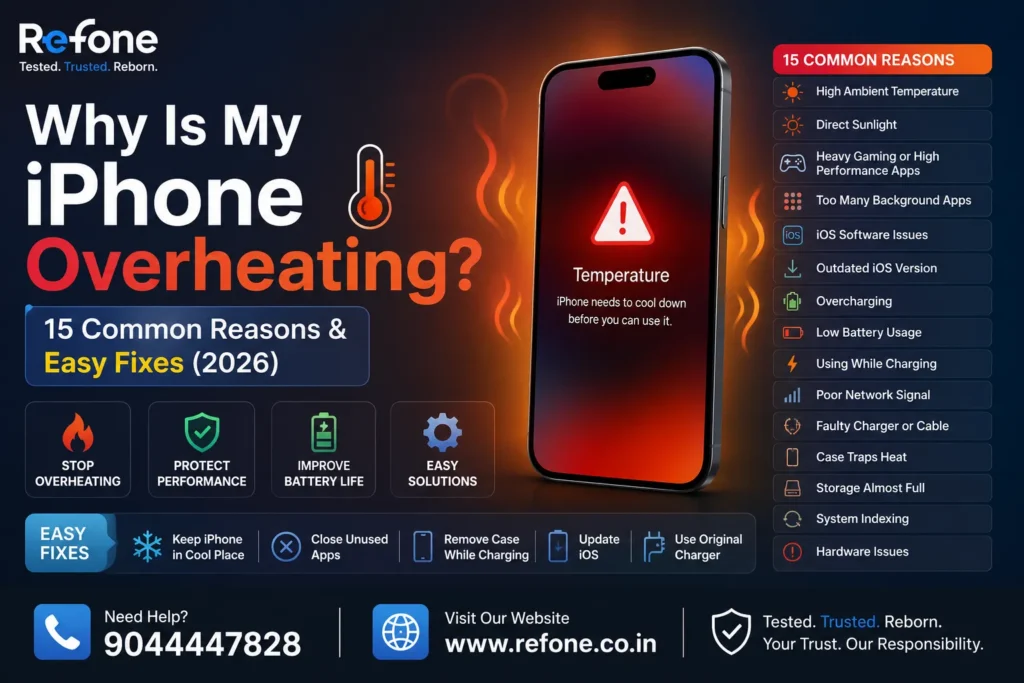
15 Common Reasons Your iPhone Is Overheating
Let’s break these down into clear categories, so you can quickly spot which one applies to you.
Usage-Related Causes
1. Excessive CPU and GPU usage
Heavy gaming, video editing, or AR apps push your processor efficiency to its limit. This is one of the most common processor intensive tasks causing heat — and it’s completely expected during long gaming sessions.
2. High screen brightness
Running your display at full brightness for hours, especially outdoors, generates real heat. This is a classic case of high screen brightness heat that most people don’t even consider.
3. Using the camera for extended periods
iPhone overheating when using camera is extremely common, especially when recording 4K video or using Night mode repeatedly. The camera sensor and image processor both work hard, generating heat quickly.
4. Long FaceTime or video calls
iPhone overheating on FaceTime happens because the camera, screen, microphone, and network connection are all active simultaneously — a genuine multi-system workload.
5. Navigation apps running in the background
GPS combined with location services battery drain and a bright screen (common during driving) is a well-known heat combination.
Shop Now – Refone’s certified refurbished iPhone collection page
Charging-Related Causes
6. Charging in direct sunlight or a hot car
iPhone overheating in summer is often less about the phone and more about ambient temperature. Charging a phone that’s already warm from heat exposure compounds the problem fast.
7. Using a non-original or damaged charging cable
Faulty charging cable effects include inconsistent power delivery, which forces your iPhone’s power management system to work harder — generating extra heat. Always prefer original Apple charger benefits like stable voltage and certified safety standards.
8. Fast charging or wireless charging heat
Fast charging methods, and especially wireless charging heat and MagSafe heating issue, naturally produce more warmth than standard wired charging due to energy conversion loss.
9. Charging overnight with a case on
A thick case traps heat during charging. Combined with charging habits affecting temperature, this is one of the most overlooked causes of iPhone overheating while charging.
Software-Related Causes
10. iOS bugs after a recent update
iPhone overheating after iOS update is a well-documented pattern. New iOS versions — including recent iOS 26 rollouts — often trigger background indexing, spotlight re-scanning, and Apple Intelligence processing that temporarily spikes CPU usage.
11. Background app refresh and syncing
Background app activity, iCloud syncing heat, and constant push notifications battery usage all keep your processor semi-active even when you’re not touching your phone.
12. Restoring from a backup
iPhone overheating after restoring backup happens because your phone is re-indexing photos, apps, and messages all at once — a temporary but intensive background process.
13. Newly installed apps re-indexing or syncing
iPhone overheating after installing apps is common right after a fresh install, as apps configure themselves, download additional data, and register background services.
Also Read – Refurbished iPhone Hidden Problems Buyers Ignore (2026)
Hardware and Environmental Causes
14. Poor network signal
Overheating because of poor signal happens because your iPhone’s antenna works harder to maintain a connection in low-signal areas, increasing power draw. This is especially noticeable with 5G enabled in weak coverage zones.
15. Battery aging or degradation
Battery aging symptoms and general battery health degradation mean your battery can no longer manage power efficiently, causing it to run hotter even under normal use. This is often paired with reduced battery lifespan and more frequent charging cycles.
Software vs Hardware Causes: Quick Comparison Table
This table helps you quickly judge whether your iPhone overheating issue is likely a software glitch or a hardware problem.
| Cause Type | Common Signs | Example Triggers | Fixable By |
| Software | Heat spikes after specific actions, resolves after restart | iOS update, app install, backup restore, background refresh | Settings changes, software update, restart |
| Charging Habit | Heat only during charging | Non-original cable, case on while charging, wireless charging | Charging routine change, cable replacement |
| Environmental | Heat matches outdoor temperature or direct sun exposure | Hot car, direct sunlight, summer heat | Moving to shade, removing from heat source |
| Hardware | Heat even when idle, battery swelling, rapid battery drain | Battery health degradation, damaged battery, charging port problems | Professional battery replacement or repair |
How to Cool Down an Overheated iPhone Right Now
If your phone feels hot right now, here’s your immediate action plan to cool down an overheated iPhone:
- Stop using it immediately. Close demanding apps like games or camera.
- Remove the case. Cases trap heat — take it off so air can circulate.
- Move to a cooler, shaded spot. Never place your iPhone directly under sunlight or on a hot dashboard.
- Unplug it if charging. Charging an already-hot phone makes things worse.
- Turn on Low Power Mode. This reduces background activity and lower processor load instantly.
- Avoid the fridge or ice trick. Never use extreme cold to cool your iPhone — rapid temperature swings can damage internal components permanently.
- Let it rest for 15-20 minutes before using it again.
Practical insight: Apple’s official guidance states the ideal operating range for iPhone is between 0°C and 35°C (32°F to 95°F). Outside this range, you may see a temperature warning screen — this is a built-in safety feature, not a malfunction.
Permanent Fixes: How to Stop iPhone From Overheating for Good
Cooling your phone down once is a temporary fix. Here’s how to fix iPhone heating permanently and reduce iPhone temperature long-term.
Software Optimization Fixes
- Update iOS regularly. Apple frequently patches software glitches and system update problems that cause excess heat in point releases following a major update.
- Turn off unnecessary Background App Refresh. Go to Settings > General > Background App Refresh and disable it for apps you rarely use.
- Limit Location Services. Set apps to “While Using” instead of “Always” to reduce location services battery drain.
- Reduce push notifications. Fewer active notification syncs mean less background processor activity.
- Turn off unnecessary iCloud syncing for apps that don’t need constant backup.
- Lower your screen brightness or enable auto-brightness to cut down on high screen brightness heat.
- Restart your iPhone weekly. This clears temporary background processes and improves device optimization.
Also Read – Refurbished vs Second-Hand vs Open Box iPhone: The Differences Explained (2026 Guide)
Safe Charging Practices
- Always use an original Apple charger or an MFi-certified alternative — never a cheap, uncertified cable.
- Avoid charging with a thick case on, especially with wireless chargers.
- Don’t charge your iPhone in direct sunlight or inside a hot car.
- Enable Optimized Battery Charging in Settings > Battery > Battery Health, which learns your routine and slows charging past 80% until needed — reducing daily battery strain.
- Avoid extended fast-charging sessions back-to-back; let your battery and phone cool between charges.
Performance Management Fixes
- Close apps you’re not actively using instead of leaving dozens running in the background.
- Avoid using processor-heavy apps (games, video editors) while your phone is charging.
- Use Low Power Mode during high-heat days or heavy usage periods to reduce CPU performance load.
- Keep your Battery Health above 80% for optimal thermal management — check this under Settings > Battery > Battery Health & Charging.
When Should You Worry About iPhone Overheating?
This is the question that matters most: should I worry if my iPhone gets hot?
Here are genuine warning signs that mean it’s time to stop troubleshooting yourself and get a professional opinion:
- Your phone overheats even when idle, with no apps open
- You notice a swollen battery warning — a bulging back panel or a screen lifting slightly at the edges
- Charging port problems, like slow or inconsistent charging alongside heat
- Overheating paired with sudden, rapid iPhone battery drain
- The phone shuts down unexpectedly due to heat, even in normal room temperature
- Your Battery Health has dropped significantly (below 80%) and overheating has become frequent
If any of these apply, this isn’t a settings problem anymore — it’s a hardware diagnostics situation. Continuing to use a phone with a damaged iPhone battery or defective battery signs isn’t just inconvenient, it can be genuinely unsafe.
Real-world example: A user whose iPhone consistently overheats during a 10-minute phone call, even in an air-conditioned room, is very likely dealing with battery degradation rather than a software issue — especially if this started happening only after 2+ years of regular use.
Why Does My iPhone Overheat After an iOS Update?
This deserves its own section because it’s one of the most frequent complaints every year: iPhone overheating after iOS update.
Here’s what’s actually happening:
- After any major iOS update (including recent iOS 26 releases), your iPhone re-indexes Spotlight search, Photos, and app data in the background.
- New features tied to Apple Intelligence run additional on-device processing as your phone “learns” your usage patterns.
- Apps you have installed may need to update their compatibility layer, which uses extra CPU temporarily.
This heat spike is usually temporary — typically resolving within 24-48 hours as background indexing finishes. If it continues well beyond that window, it may point to an app compatibility issue with a specific third-party app rather than iOS itself. Try updating all your apps and see if the heat settles.
iPhone Overheating on Newer Chips: A18 Pro & A17 Pro
If you own a newer iPhone with the A18 Pro or A17 Pro chip, you might notice occasional warmth during heavy tasks like gaming or 4K video editing. This isn’t a defect — these chips are more powerful, which means more computational load during demanding tasks, especially before iOS optimizes background power management in the weeks following a new device or OS release.
The fix here isn’t different from older models: manage brightness, background activity, and charging habits, and the heat during demanding tasks will stay within safe, expected limits.

FAQs: iPhone Overheating — Common Questions Answered
Q1. Why is my iPhone overheating even when not in use?
This usually points to background processes — like iCloud syncing, indexing after an update, or a stuck app — running silently. If it continues after a restart, it may indicate battery aging symptoms or a hardware issue worth checking.
Q2. How do I fix iPhone overheating while charging?
Remove your case, use an original Apple charger, avoid charging in direct sunlight, and don’t use processor-heavy apps while plugged in. If heat persists only during charging, inspect your cable and charging port for damage.
Q3. Is iPhone overheating normal?
Mild warmth during gaming, navigation, or video recording is normal due to built-in thermal management. Overheating while idle, or overheating paired with battery swelling, is not normal and needs attention.
Q4. Can overheating damage an iPhone?
Yes, repeated or prolonged overheating can accelerate battery health degradation and, in rare cases, affect internal components. Apple’s built-in temperature warning system is designed to prevent permanent damage by pausing charging or dimming performance when needed.
Q5. Should I replace my battery if my iPhone overheats?
If your Battery Health has dropped below 80% and overheating happens frequently — even during light use — a battery replacement is a reasonable and often effective fix.
Q6. Why is my iPhone hot while charging?
Charging naturally generates some heat due to energy conversion, especially with fast charging or wireless charging. Excessive heat during charging usually points to a damaged cable, a non-original charger, or a case trapping heat.
Q7. Why does my iPhone overheat after updating iOS?
Background indexing, Spotlight re-scanning, and Apple Intelligence processing all run intensively right after an update. This typically settles within 24-48 hours.
Q8. What temperature is unsafe for an iPhone?
Apple recommends operating your iPhone between 0°C and 35°C (32°F to 95°F). Outside this range, you may see an on-screen temperature warning, and charging may pause automatically as a safety measure.
Q9. Does fast charging make the iPhone hot?
Yes, fast charging generates more heat than standard charging due to higher power transfer rates. This is generally safe with genuine Apple-certified accessories but can worsen if your battery health is already declining.
Q10. Can a case cause an iPhone to overheat?
Yes, especially thick or non-breathable cases used during charging or gaming. Removing the case during heavy use or charging sessions is a simple, effective fix.
Q11. Mera iPhone itna garam kyun ho raha hai?
Zyadatar iske peeche heavy app usage, charging habits, ya background processes hote hain. Agar phone idle rehte hue bhi garam ho raha hai, to battery health check karwana zaroori hai.
Q12. iPhone charging ke time garam kyun hota hai?
Charging ke dauraan halka garam hona normal hai, lekin agar bohot zyada heat ho rahi hai to original Apple charger use karo aur case hata do charging ke time.
Q13. iOS update ke baad iPhone overheat kyun karta hai?
Update ke baad phone background mein indexing aur syncing karta hai, jisse thodi der ke liye CPU usage badh jata hai. Yeh 1-2 din mein normal ho jata hai.
Q14. iPhone overheating se battery kharab ho sakti hai kya?
Haan, agar overheating baar baar ho aur lambe time tak chale, to battery health degrade ho sakti hai. Isliye phone ko turant thanda karna important hai.
Q15. iPhone garam ho raha ho to kya karna chahiye?
Case hata do, heavy apps band karo, phone ko chhaanv mein rakho, aur agar charging pe hai to unplug kar do. Kuch minute rest dene se phone apne aap thanda ho jayega.
Conclusion: Most Overheating Issues Are Fixable — But Don’t Ignore the Warning Signs
Here’s the honest, no-fluff summary: why is my iPhone overheating almost always comes down to a mix of usage habits, charging practices, and temporary software behavior — all things you can fix today with the steps in this guide.
But if your iPhone gets hot even when you’re not using it, if you notice a swollen battery warning, or if overheating keeps happening alongside rapid battery drain, that’s your phone telling you something real. At that point, it’s not about settings anymore — it’s about battery health degradation or a genuine hardware diagnostics issue that deserves a professional look, not another troubleshooting article.
And if your battery health has genuinely declined to the point where daily overheating is now your normal — it might be time to consider whether your current iPhone still serves you well, or whether a certified refurbished iPhone with verified battery health is a smarter, more reliable next step.
Still Overheating? Let’s Get You a Reliable iPhone Instead
If you’ve tried everything and your iPhone still overheats because of aging hardware or declining battery health, constantly babying an old phone isn’t worth your time or your peace of mind.
Refone’s certified refurbished iPhones come with verified battery health, full IMEI verification, and genuine multi-point hardware inspection — so you’re not trading one overheating headache for another.
👉 Explore Refone’s certified refurbished iPhones today and get a device with dependable battery health, tested thermal performance, and real warranty backing.
At Refone, every refurbished iPhone goes through genuine battery health checks and hardware diagnostics — because a phone that runs cool and reliable matters more than a quick sale.
Leave a Reply
Your email address will not be published. Required fields are marked *